
Planning & tools · 4 MIN READ
Cross Stitch Letter Generator: Chart Names That Fit
Create readable block lettering, calculate the finished size and export a chart before stitching a name, date or short message.
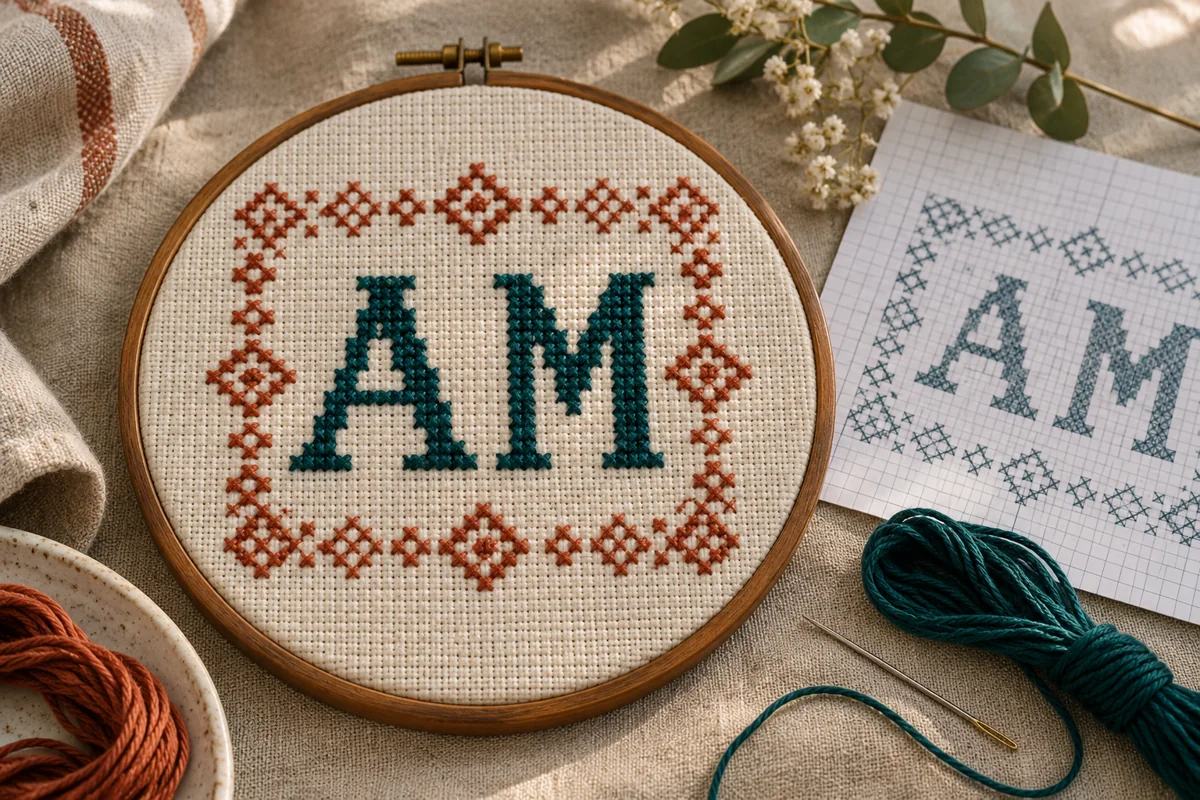
Turn a short message into a counted chart
A cross stitch letter generator turns typed characters into a grid: each marked square represents one full cross, while empty squares remain unstitched. It is useful for names, initials and short messages because you can check the layout before putting a needle into fabric. Start with the exact spelling you want, including spaces and punctuation. A longer name needs a wider chart even when the letters use the same height.
Open our cross stitch name maker to build a simple block-letter chart. It accepts up to 24 characters using A–Z, numbers, spaces and ! ? . -. Lowercase input becomes uppercase. Accented letters and other scripts are not supported by this alphabet, so do not silently remove an accent from someone’s name: ask about the preferred spelling or draw the correct character yourself on a grid.
Choose spacing for the actual word
The built-in alphabet uses a five-column, seven-row letter cell. Choose one, two or three blank squares between characters, then inspect the whole word. One square keeps a short label compact; wider spacing can make separated initials clearer. Large gaps do not automatically improve readability, especially around a narrow letter or a space already included in the message.
Stitch shapes stay the same when you change the fabric count. If the lettering looks cramped, revise the grid or choose a shorter message rather than pulling stitches apart. For two lines, create and position the lines separately in the grid designer. Check the combined width, the gap between lines and the total height before calculating your fabric.
Calculate chart size with a worked example
For MIA at one-square spacing, the generated chart is 21 squares wide and 11 high, including its blank outer padding. The calculation is three character cells of six columns, minus the final spacing column, plus four columns of padding. On 14-count Aida worked over one square, that full chart area measures 21 ÷ 14 = 1.5 inches wide and 11 ÷ 14 ≈ 0.79 inches high.
That is the chart area, not the fabric cutting size. Add the allowance required by your frame, hoop or sewing finish on every side. Use the fabric calculator, keeping inches and centimetres separate. On evenweave stitched over two threads, calculate with the effective stitch count rather than treating the fabric’s thread count as the number of crosses per inch.
Check the preview before exporting
Compare the stitch preview with the symbol chart. Verify every letter, the spaces between words and whether the message reads correctly from left to right. A digital thread color is only a screen reference; choose a physical floss color in suitable light. The generator does not promise an official thread-brand match.
Download the PDF for printing or save the SVG chart for a scalable copy. Inspect the downloaded file rather than assuming the preview and paper print are identical. Check that the grid, symbols and key remain readable. Keep a copy with the exact text, spacing setting, fabric count and chosen floss so you can reproduce the project later.
Stitch a small lettering sample first
Test two contrasting letters on spare fabric using the intended thread and strand count. Keep all upper legs of the crosses in the same direction. If adjacent stitches crowd each other or the background shows more than you want, review the strand choice on the sample before changing the full project. Follow the fabric and thread instructions for any washing or pressing.
For a gift, check the complete name once more before cutting the final fabric. Center the entire charted message, not just the first letter. Mark a reliable starting reference and count from it; a one-square error at the beginning can move every following letter. Secure thread ends without bulky knots where the finish needs to lie flat.
Common questions about generated letters
Can I use a normal computer font? A normal font is not automatically a stitchable alphabet. Small curves and thin strokes need deliberate simplification on a counted grid. This tool uses its own compact block alphabet rather than claiming to reproduce every typeface.
Can I make letters bigger? A larger fabric stitch produces physically larger letters, while a redrawn alphabet can add more squares and detail. Scaling a printed chart on paper does not change the stitch count. For a different lettering style, redraw an original alphabet or use a chart with appropriate permission.
Choose an original chart from our free collection, or check your fabric measurements before you begin.
Free cross stitch patterns · Fabric calculator